


What's the difference between Transfr Trek and Transfr Train?
Trek is career exploration; Train is skills training. How to tell which one your organization has.
For: Instructors, administrators, and anyone new to Transfr
Transfr offers two main VR experiences — Trek and Train. They serve different goals, and your organization may have one, the other, or both. Here's how to tell them apart and figure out which you're using.
The short version
| Transfr Trek | Transfr Train | |
|---|---|---|
| What it's for | Career exploration | Hands-on skills training |
| What learners do | Explore and compare many careers to find a direction | Practice the real tasks of a specific job, over and over |
| Best for | Discovery — "which career fits me?" | Building job-ready skills in a chosen field |
| Guidance | An in-headset coach walks learners through each experience | Step-by-step practice aligned to industry standards |
| Typical setting | Middle and early high school, career centers | CTE programs, workforce training, reskilling |
Transfr Train: skills training
Train is about skills training. Instead of sampling many careers, learners practice the real tasks of one occupation — repeatedly and safely, without the cost or risk of real equipment. Train simulations are built around industry standards such as NCCER, ASE, and OSHA, so the skills learners build map to what employers expect. Train fits CTE programs, workforce boards, and reskilling, where the goal is job-ready skills in a specific field.
Transfr Trek: career exploration
Trek is about career exploration. Learners put on a headset and experience what different careers actually feel like — trying tasks, meeting an in-headset coach, and reflecting on what they enjoyed. The goal is discovery: helping each learner find a direction and, over time, build toward a career plan. Trek spans a wide range of careers, so learners can compare paths they might never have considered.
What about Trek Mobile?
You may also hear about Trek Mobile. It's the Trek career-exploration experience, delivered through a web browser on a tablet, Chromebook, or computer instead of a VR headset. It's a way to offer Trek where headsets aren't available. To set it up, see Installing Transfr Trek Mobile on Your Device.
How do I know which one my organization has?
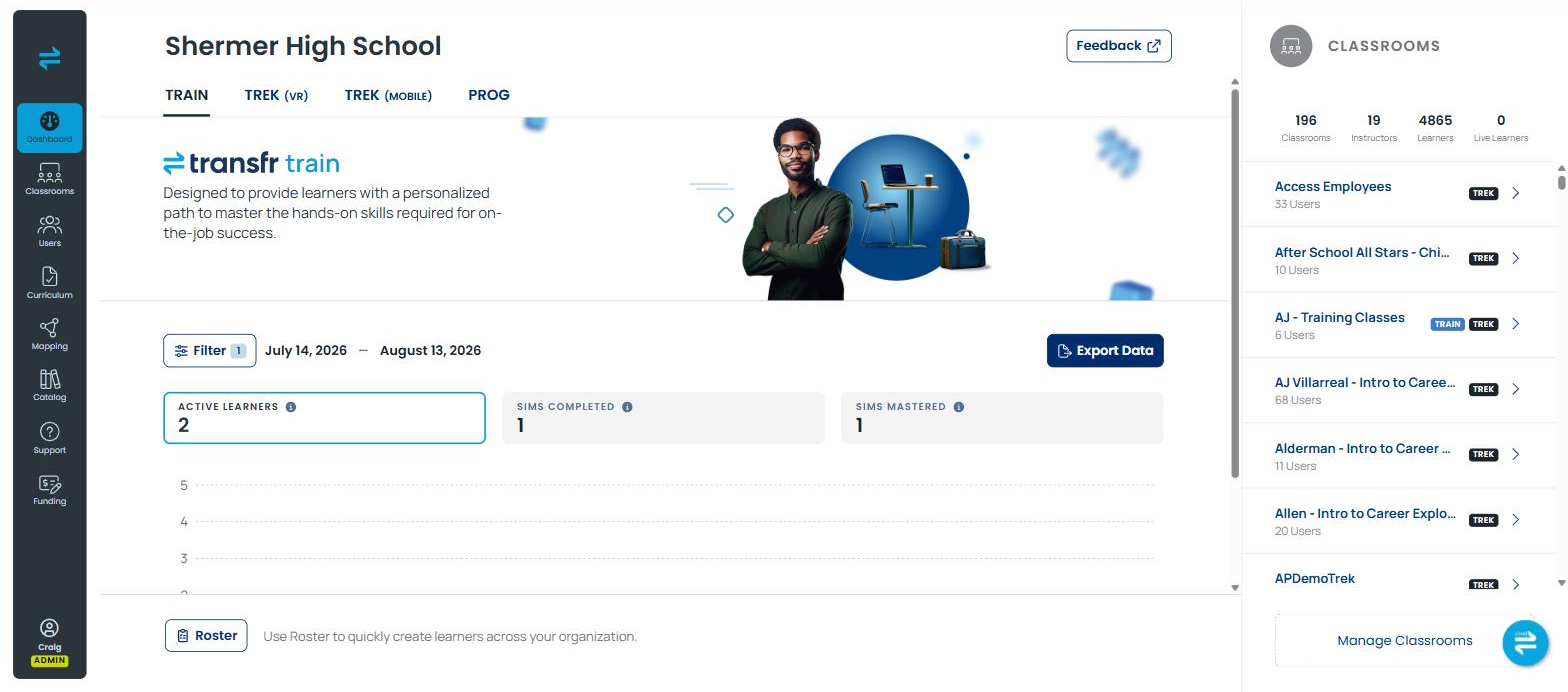
Sign in to the Transfr Dashboard and look along the top of the Dashboard page. There is a tab for each product your organization has: TRAIN, TREK (VR), TREK (MOBILE), and PROG for Programs. If you don't see a tab for a product, your Customer Success Manager can confirm what's in your contract.
Where do I find the full list of careers and simulations?
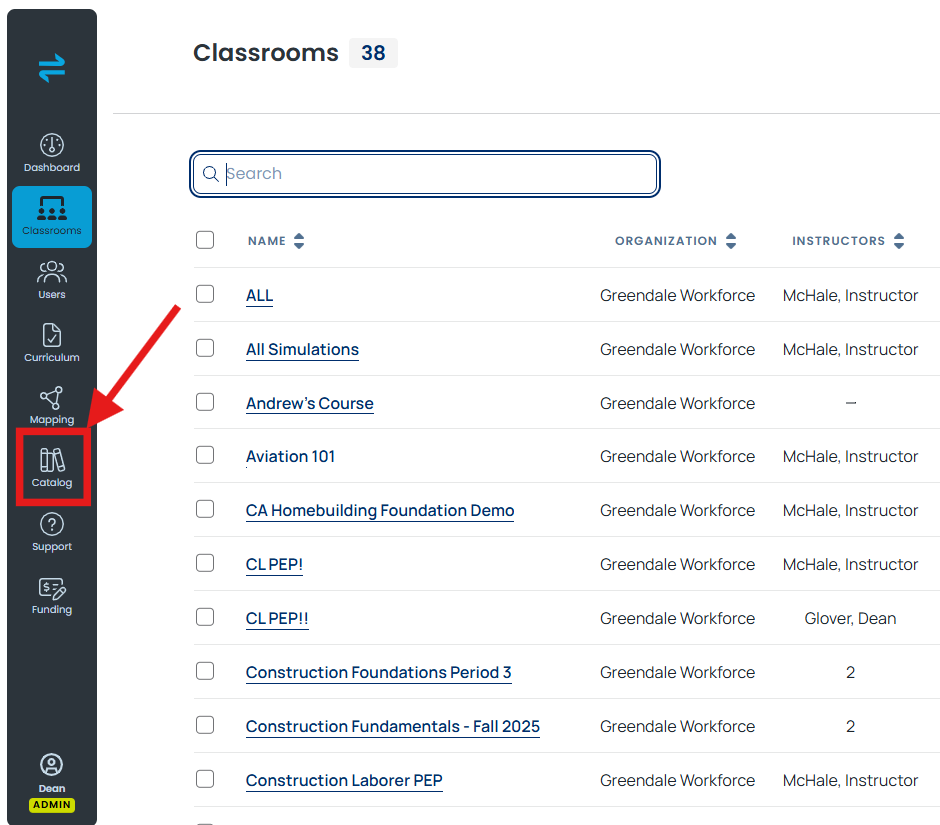
The catalog grows with each release, so the most current list lives under Catalog in the Dashboard's left menu. For a list tailored to your programs, ask your Customer Success Manager.
Still need help?
Last updated: August 6, 2026
